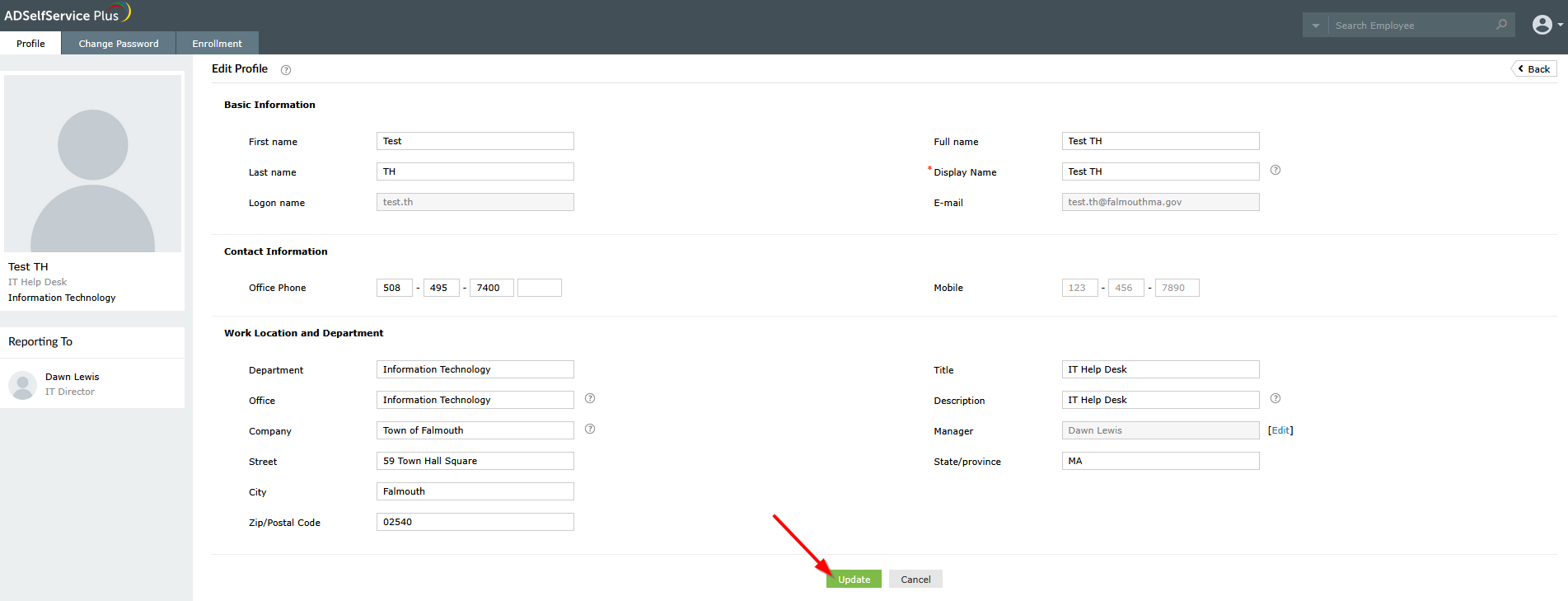
The Town of Falmouth has implemented a method to update your profile information should you need to update any of your profile information. This information is synced across both your Windows/Domain account and your Microsoft 365 Email. This method only works when you are connected to the network at any Town of Falmouth location and are using a town-provided device.
Profile Update from ADSelfService Plus Website
1. In a web browser, navigate to the below URL and you should be presented with the log in screen:
https://managead360.townhall.town.falmouth.ma.us
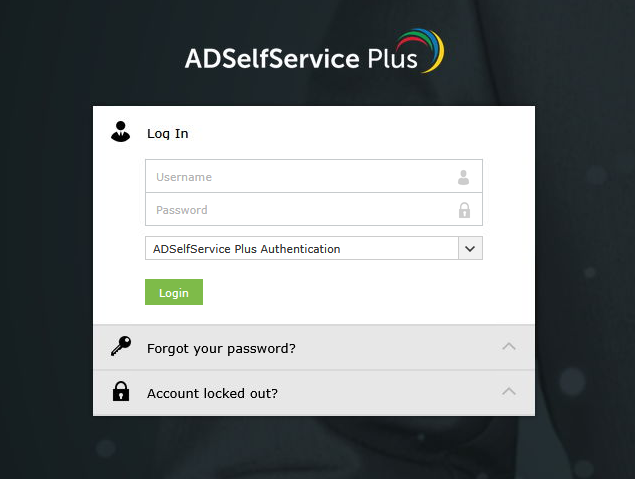
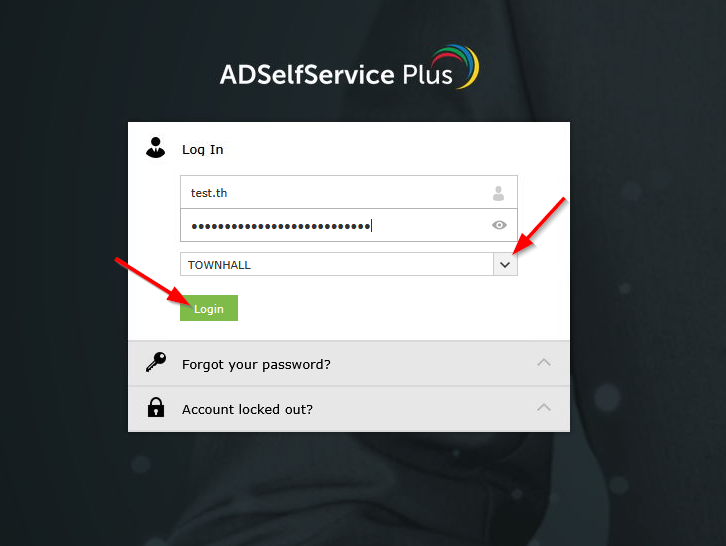
2. Enter your username (typically firstname.lastname) and password. You must select the drop-down and choose the appropriate domain for the Town Hall, Police Department, or Fire Department, then click "Login".
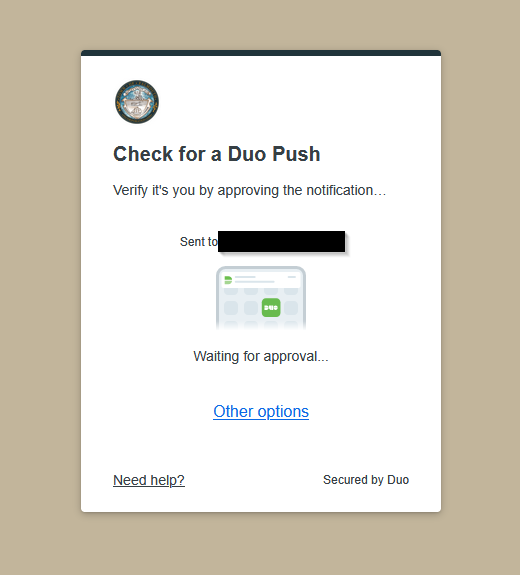
3. If you use the Duo Mobile app, you will be sent a Duo Push which must be approved to reset your password. If you use a Duo Token, you will be asked to enter the 6-digit code similarly to how you normally log into your computer.
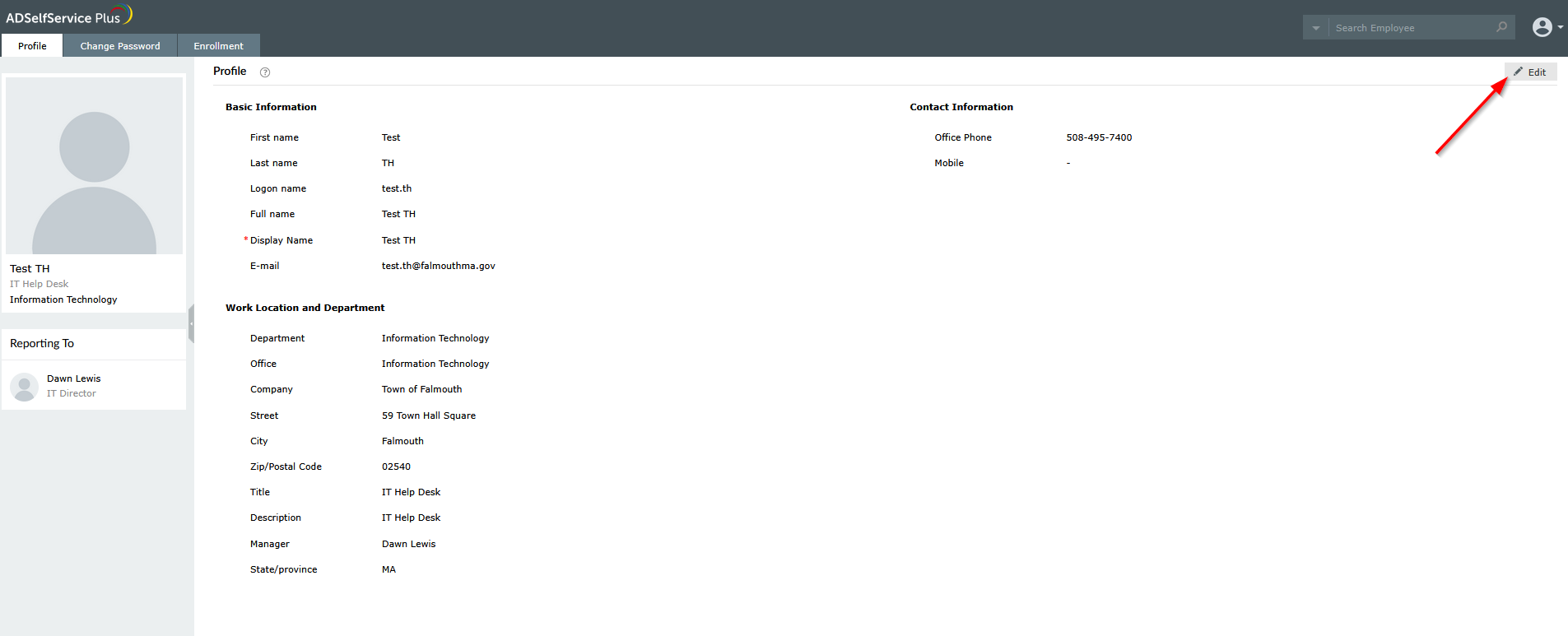
4. After verifying your account with your MFA method you will be brought to the ADSelfService Plus home page. To edit your profile information, select "Edit" at the top right.
5. Update any profile information you would like, for fields with a question mark next to them please read those as we try to follow a consistent format for all users. Once you have updated the fields you would like changed, select "Update".